
At Duncan Aviation, we have received several KHF-950 HF (high-frequency) systems with a KFS-594 Miniature Control Unit installed that were reported as being stuck in transmit mode or changing frequencies each time a transmission was attempted. However, after bench testing, no faults were found with the suspected units.
Proper operation of the controller requires following specific programming and tuning steps. The following is a quick refresher on how to operate the system correctly.
To enter programming mode, activate the cursor (flashing digit) by pressing the right inner knob. A 0 (zero) should start flashing under the CH markings. Pressing the knob advances the cursor to the next field. To select the desired value (0-9) for each field, turn the right knob. Continue to advance the cursor through all fields until no digits are left flashing to stow the cursor.
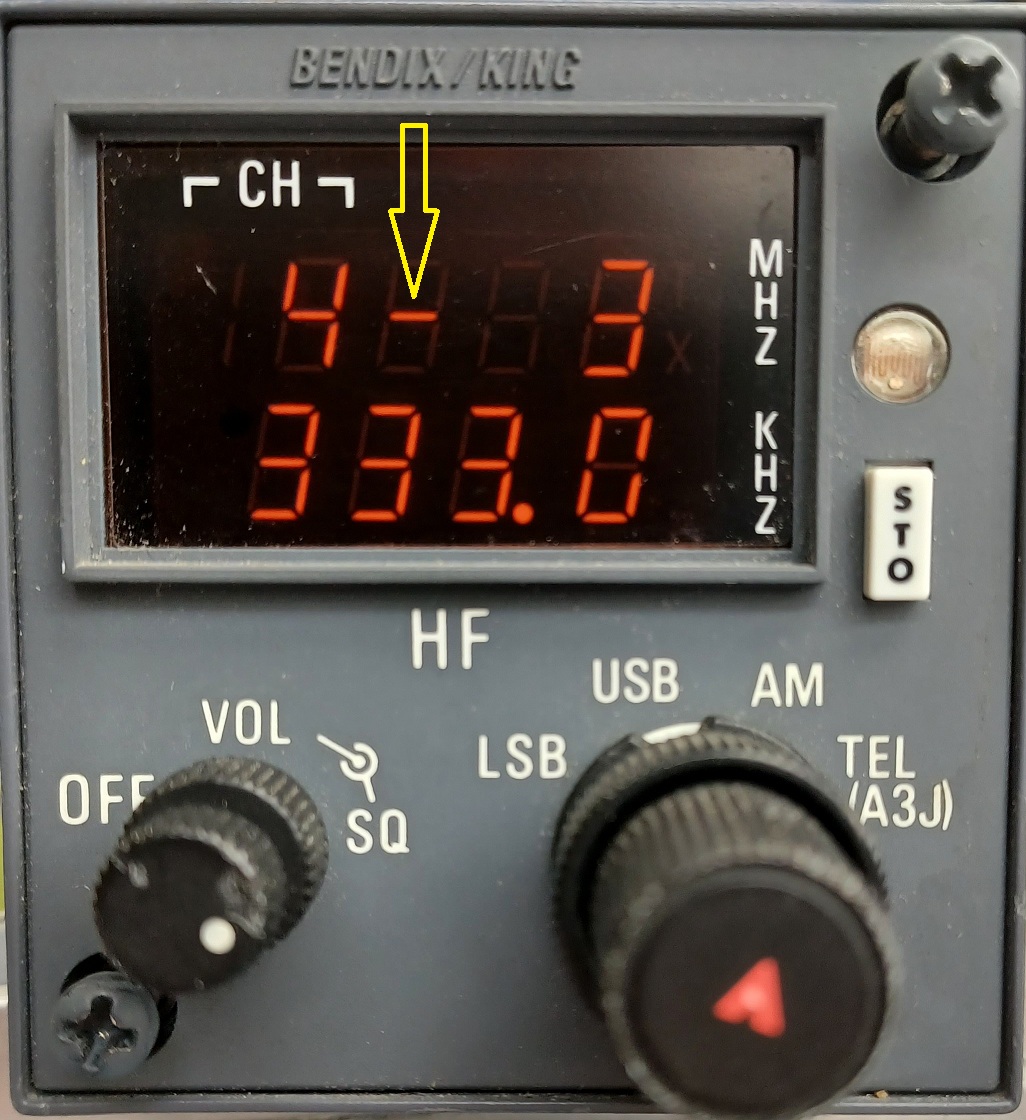 NOTE: Program mode is indicated by a flashing dash in the space adjacent to the channel number. This dash flashes once when you change any digit and will continue to flash until you momentarily press the mic key (reverting to the previously stored channel) or press the STO button (storing the new channel).
Photo 1: Channel Program Mode (RCV Frequency)
Once you have selected the desired channel and/or all the digits of the correct frequency, or stored them in program mode, momentarily key the mic button (press and release). This initiates the tuning of the transmitter, during which time you will see the display blank and the TX indication next to “MHz” flash. Once the flashing TX disappears and the frequency digits return, the antenna tuning cycle is complete, and you are ready to transmit on the selected frequency.
NOTE: The first one or two digits (MHz) are displayed in the upper right of the display. The last four digits (kHz) are displayed at the bottom of the display.
The STO button can perform a couple of other functions in addition to storing preset frequencies.
Not every KHF-950 system that appears to have a transmit problem is actually broken. The controller has specific programming and antenna-tuning steps you must follow.
A simple way to remember it is:
Select the frequency → briefly key the mic → wait for the antenna to finish tuning → then transmit.
This sequence can prevent the system from appearing to be stuck in transmit or behaving as though the frequency is changing unexpectedly.
If you have any questions or need assistance when troubleshooting a KHF-950 HF system, please contact a Duncan Aviation Component Solutions Avionics Technical Representative.
November 2026
November 2026
October 2026
October 2026
October 2026
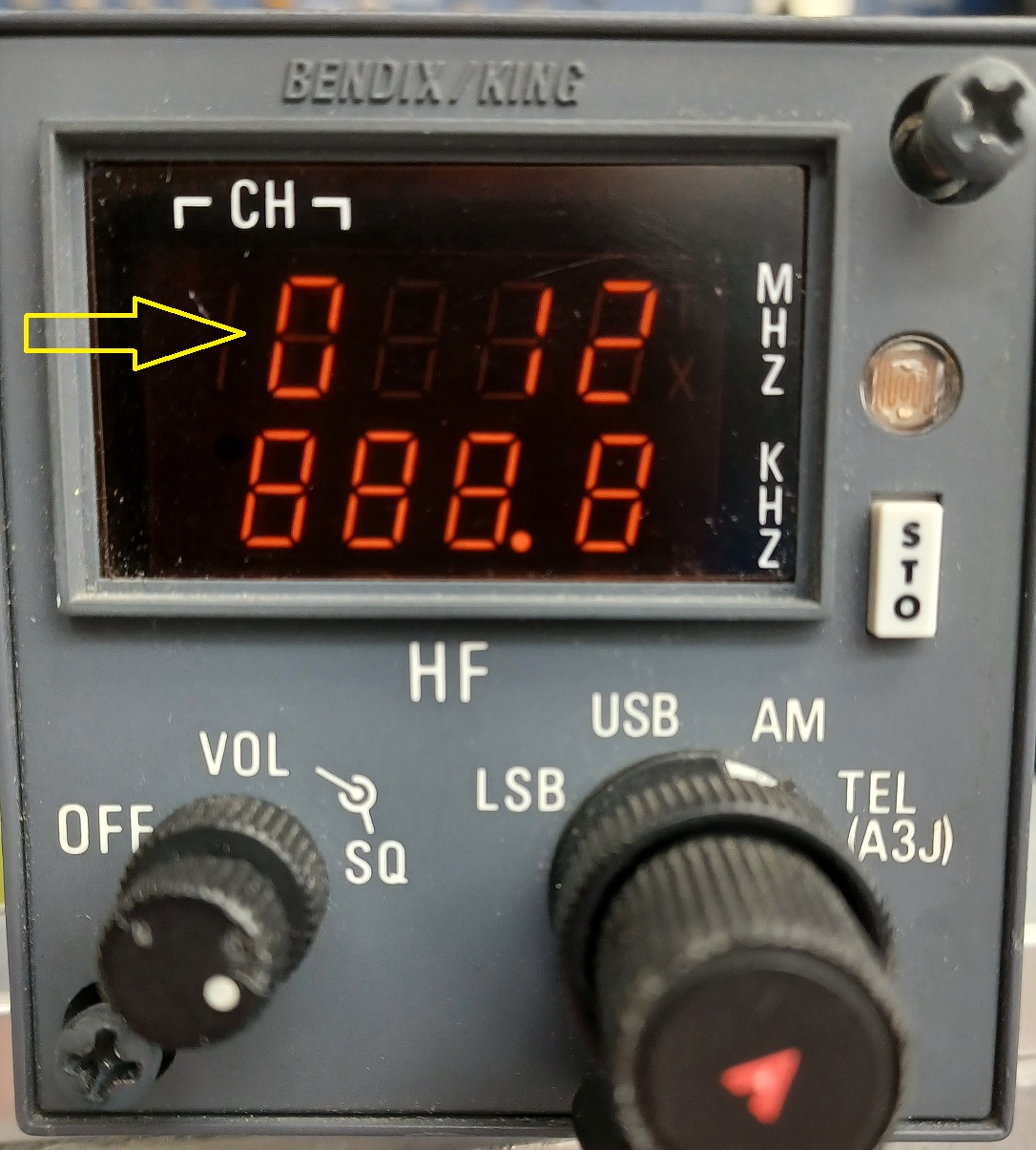
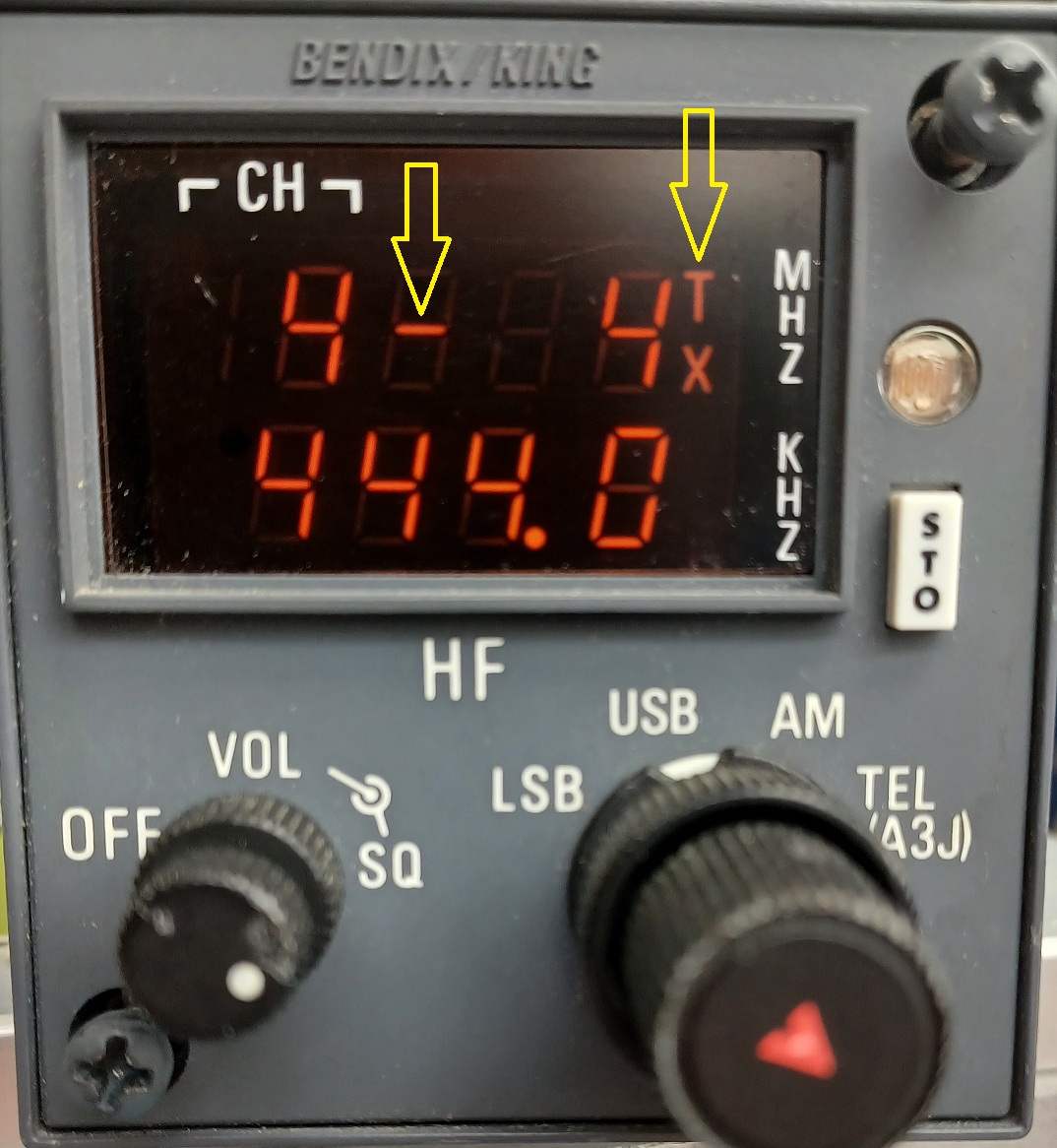 Channel Mode